
Reforge has joined Miro ↗
Real product teams don't work in isolation. They work with existing products, established patterns, and actual user flows. When a PM explores a new feature idea, they're building on top of what already exists, not starting from a blank canvas.
We created Reforge Build to give you tools that match how you actually work. And today, we’re really excited to announce two new features that extend that philosophy.
Capture Flows lets you grab entire interaction sequences directly from your product. Click through a flow (button → modal → success state) and we capture each step with the triggers that connect them.
Capture Library turns every screen you've captured into a searchable, reusable asset. Your product's existing patterns become a reference you can pull from whenever you prototype.
How product teams actually explore ideas
You're on a customer call and they mention confusion with your checkout flow. You open your product and click through it yourself. The issue becomes clear around step three, where two similar buttons create ambiguity.
You're already in your product, seeing the actual flow. You understand the context and you clearly see the problem. Now it’s time to explore solutions.
With the launch of Capture Flows, your prototype starts right here. Using our browser extension, you can capture the flow as you click through it, then create a multi-step prototype that you can iterate on.
https://fast.wistia.net/embed/iframe/lhw0v6p18v
How Capture Flows work
Open the Reforge Build extension while you're in your product. Click "Start flow capture" and capture the first page.
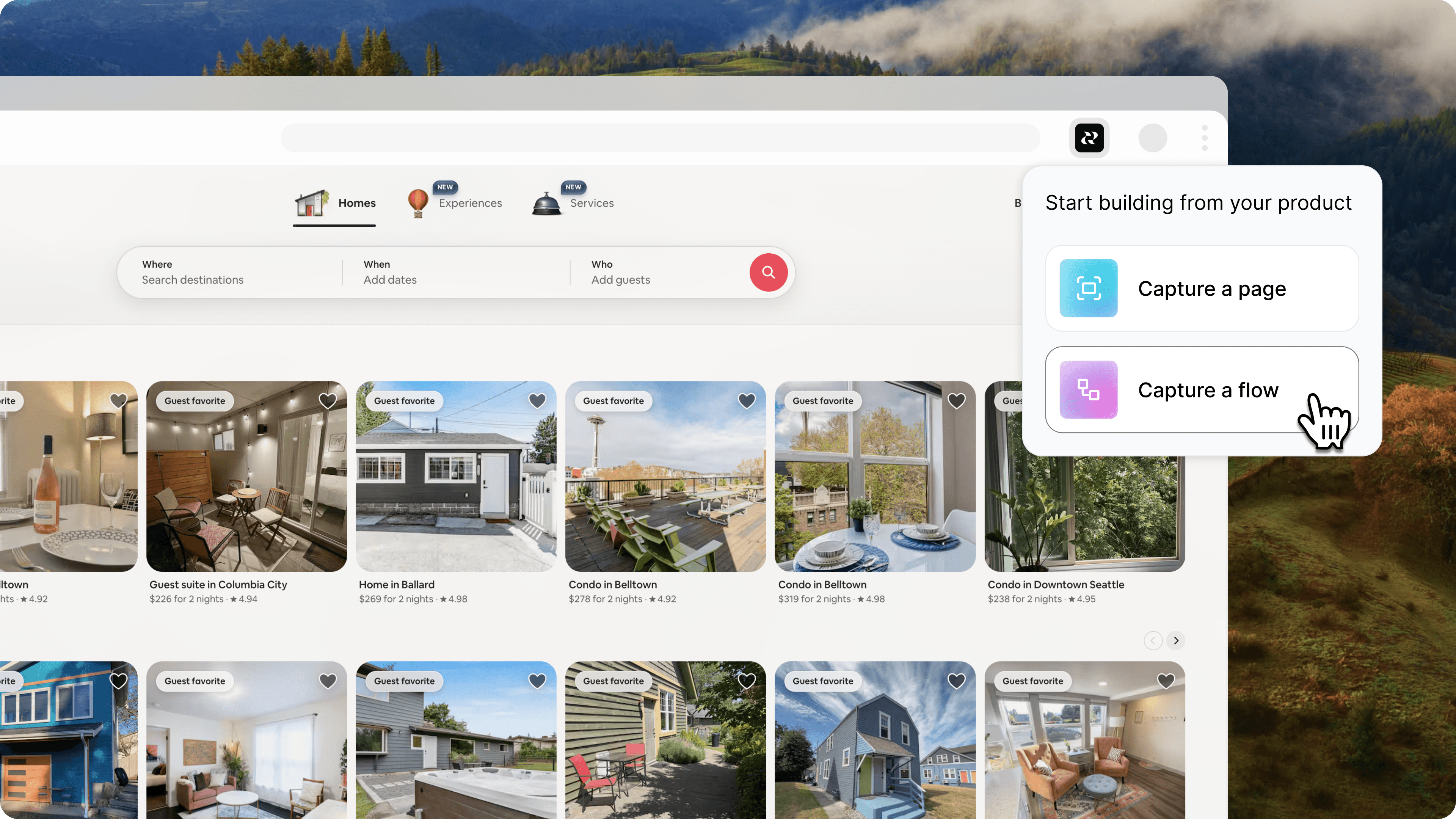
For each step in the flow, you’ll:
Capture the page
Select the trigger that will bring the user to the next step
Click through to that step
Repeat until finished
When you’ve captured the entire flow, click “Finish and generate prototype.” In Reforge Build, you’ll be able to click through the flow. And you’ll be able to iterate on each page in it, allowing you to easily explore solutions from start to finish.
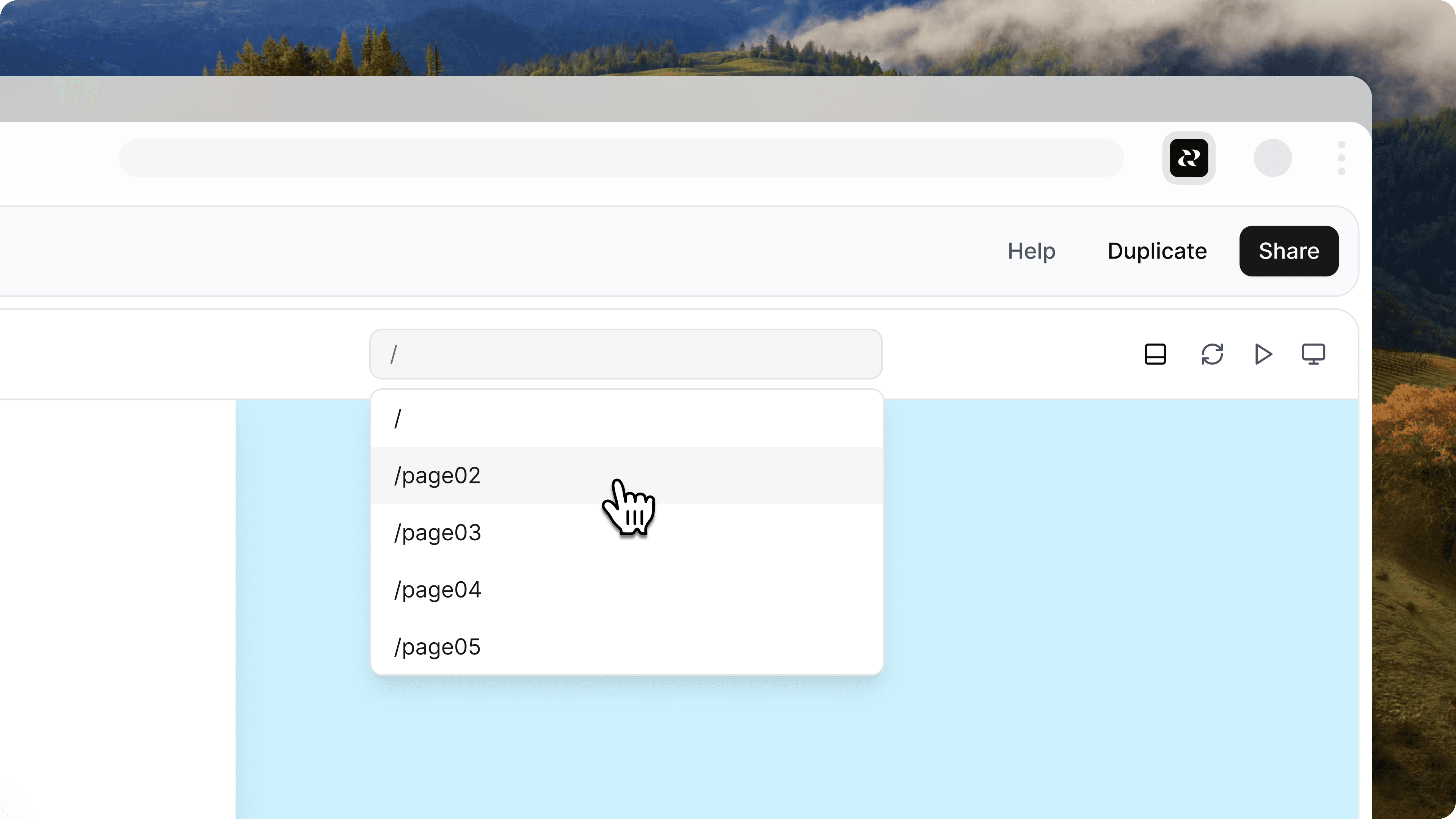
This matches how product teams think. PMs occasionally need to update an admin panel or a settings page, but they mostly don't think about screens in isolation. Capture Flows preserves that mental model. You capture what you see, we preserve how it works.
How Capture Library works
Product teams reuse patterns constantly. You built a good modal layout last quarter. Your table design works well across features. The navigation structure is consistent.
When you prototype something new, you're not inventing these patterns from scratch. You're adapting what already exists. A new feature needs a table like the one on the analytics page. A settings flow should use the same modal style as account management.
But referencing your own product usually means opening it in another tab, looking at the pattern, and trying to describe it. You lose the exact spacing, the specific copy, the subtle styling choices that make it feel like your product. This means duplicative work, which is especially frustrating when we’re working with a technology that is supposed to save us time.
Capture Library solves this by making every capture you've ever made searchable and reusable. Every time you use the Reforge Build browser extension, that capture goes into your library. Filter by the site you captured from. Sort by date or by site. Find the pattern you need and start a new prototype from it.
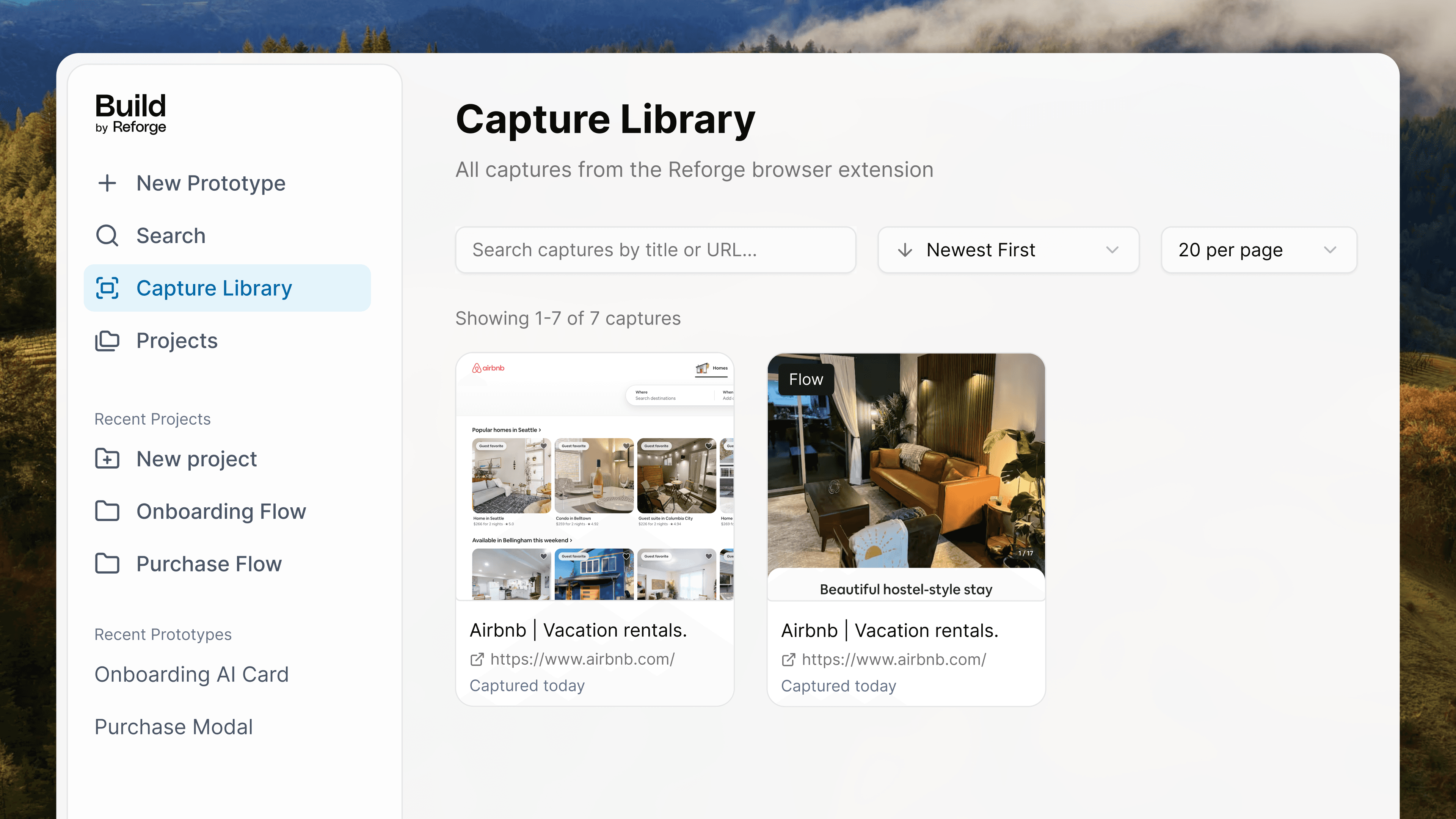
This changes the economics of capturing. You don't have to decide "Is this worth capturing right now for this specific prototype?" Instead, you think "I should grab this pattern while I'm here." Your library grows into a complete reference of your product's UI.
The next time you need a modal, you search your library for "modal" and see every modal pattern you've captured. You pick the one that fits your use case and start prototyping from there. The prototype already looks like your product because it started from your product.
Try Reforge Build
Reforge Build is built for product teams. The ones working on version 13 of their checkout flow, not version 1. The one exploring how to add a new capability without disrupting existing patterns. The one who needs to get better feedback from stakeholders by showing something that looks like the actual product, not a generic wireframe.
Capture flows and capture library extend this philosophy—and there’s more coming. Both features are available now in Reforge Build. Download the browser extension if you haven't already.
Your product is your best asset for prototyping. We're making sure you can use it that way.
Real product teams don't work in isolation. They work with existing products, established patterns, and actual user flows. When a PM explores a new feature idea, they're building on top of what already exists, not starting from a blank canvas.
We created Reforge Build to give you tools that match how you actually work. And today, we’re really excited to announce two new features that extend that philosophy.
Capture Flows lets you grab entire interaction sequences directly from your product. Click through a flow (button → modal → success state) and we capture each step with the triggers that connect them.
Capture Library turns every screen you've captured into a searchable, reusable asset. Your product's existing patterns become a reference you can pull from whenever you prototype.
How product teams actually explore ideas
You're on a customer call and they mention confusion with your checkout flow. You open your product and click through it yourself. The issue becomes clear around step three, where two similar buttons create ambiguity.
You're already in your product, seeing the actual flow. You understand the context and you clearly see the problem. Now it’s time to explore solutions.
With the launch of Capture Flows, your prototype starts right here. Using our browser extension, you can capture the flow as you click through it, then create a multi-step prototype that you can iterate on.
https://fast.wistia.net/embed/iframe/lhw0v6p18v
How Capture Flows work
Open the Reforge Build extension while you're in your product. Click "Start flow capture" and capture the first page.
For each step in the flow, you’ll:
Capture the page
Select the trigger that will bring the user to the next step
Click through to that step
Repeat until finished
When you’ve captured the entire flow, click “Finish and generate prototype.” In Reforge Build, you’ll be able to click through the flow. And you’ll be able to iterate on each page in it, allowing you to easily explore solutions from start to finish.
This matches how product teams think. PMs occasionally need to update an admin panel or a settings page, but they mostly don't think about screens in isolation. Capture Flows preserves that mental model. You capture what you see, we preserve how it works.
How Capture Library works
Product teams reuse patterns constantly. You built a good modal layout last quarter. Your table design works well across features. The navigation structure is consistent.
When you prototype something new, you're not inventing these patterns from scratch. You're adapting what already exists. A new feature needs a table like the one on the analytics page. A settings flow should use the same modal style as account management.
But referencing your own product usually means opening it in another tab, looking at the pattern, and trying to describe it. You lose the exact spacing, the specific copy, the subtle styling choices that make it feel like your product. This means duplicative work, which is especially frustrating when we’re working with a technology that is supposed to save us time.
Capture Library solves this by making every capture you've ever made searchable and reusable. Every time you use the Reforge Build browser extension, that capture goes into your library. Filter by the site you captured from. Sort by date or by site. Find the pattern you need and start a new prototype from it.
This changes the economics of capturing. You don't have to decide "Is this worth capturing right now for this specific prototype?" Instead, you think "I should grab this pattern while I'm here." Your library grows into a complete reference of your product's UI.
The next time you need a modal, you search your library for "modal" and see every modal pattern you've captured. You pick the one that fits your use case and start prototyping from there. The prototype already looks like your product because it started from your product.
Try Reforge Build
Reforge Build is built for product teams. The ones working on version 13 of their checkout flow, not version 1. The one exploring how to add a new capability without disrupting existing patterns. The one who needs to get better feedback from stakeholders by showing something that looks like the actual product, not a generic wireframe.
Capture flows and capture library extend this philosophy—and there’s more coming. Both features are available now in Reforge Build. Download the browser extension if you haven't already.
Your product is your best asset for prototyping. We're making sure you can use it that way.