Reforge has joined Miro ↗
Prototype Testing is the newest feature in Reforge Research. To learn more about how our customers are using AI surveys and interviews to drive higher conversion, retention, and product satisfaction, book a demo or sign up today.
AI prototyping tools have made it fast enough that building is no longer the constraint on exploration. Teams are generating more ideas, more directions, and more interactive prototypes than ever before.
But knowing what to build is still just as hard, and the stakes keep getting higher. Getting user feedback on prototypes still takes the same amount of time it always did. It's slow, manual, and messy. This gap is where most product debt originates.
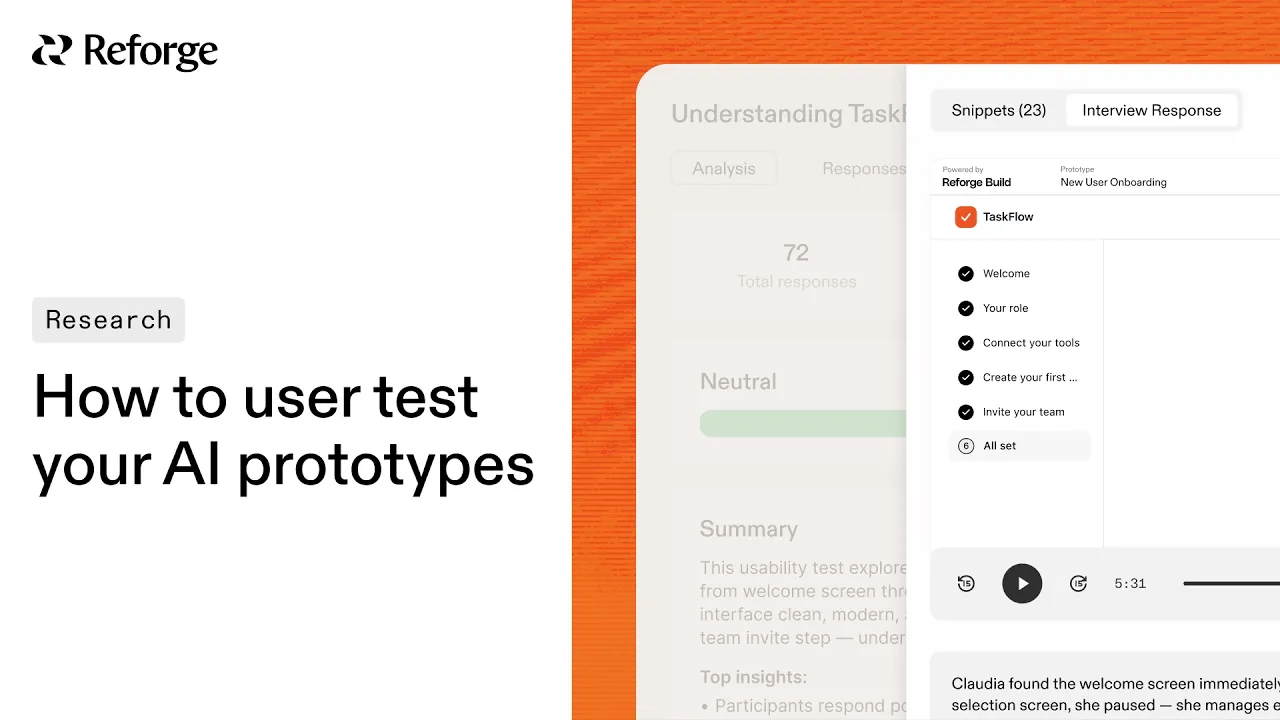
How to run a user test on your AI prototype
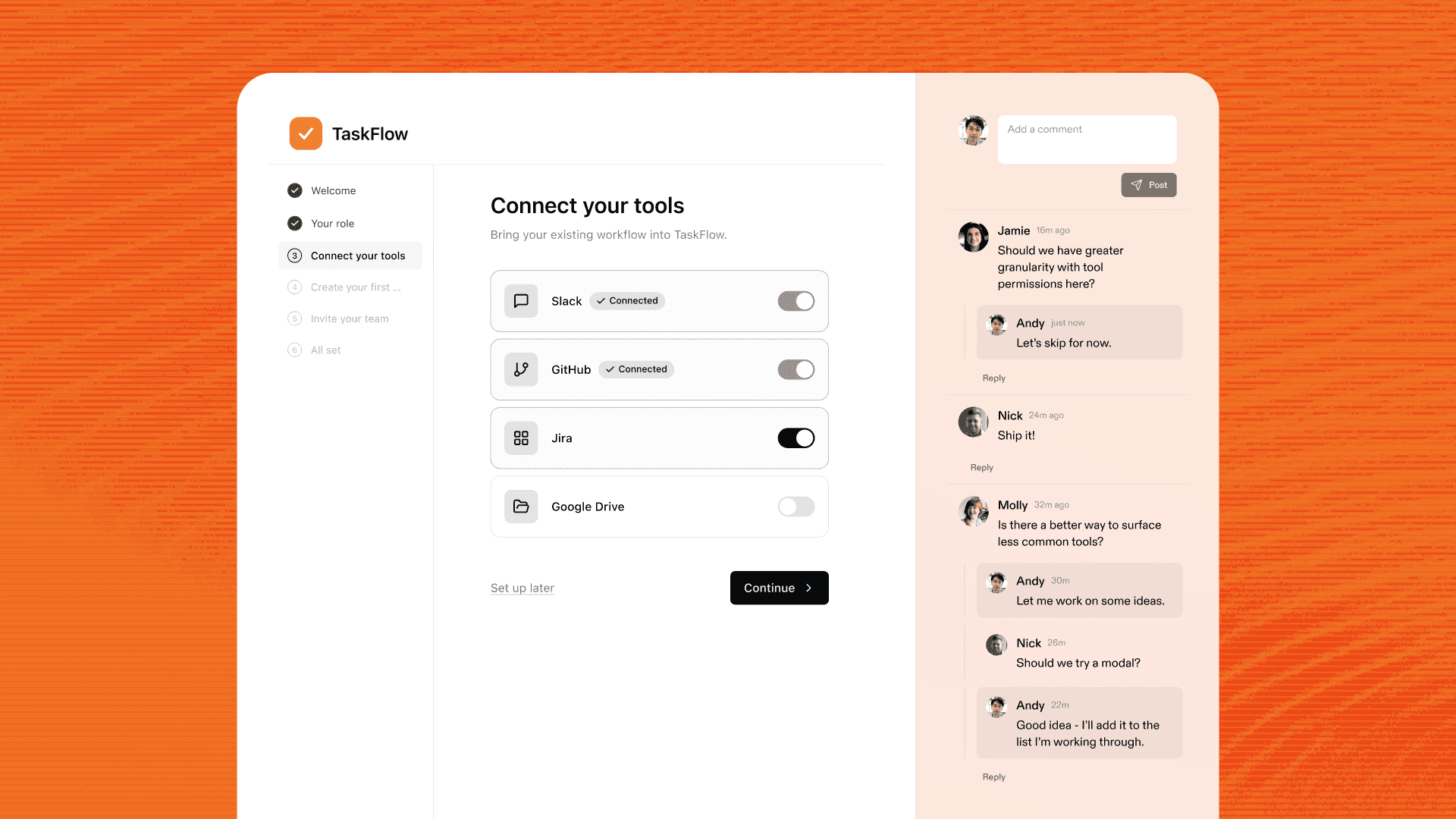
Reforge Build has had quick feedback built in from day one. You can share a prototype with a link, collect element-level comments, and loop in stakeholders without leaving the tool. That kind of feedback is fast and useful for alignment.
But quick feedback has limits. When a colleague reviews your prototype, they already understand your product and the problem you're solving. They bring context that real users don't have. What you learn from them is what your team thinks, which is a different question from whether your users can actually use what you built.
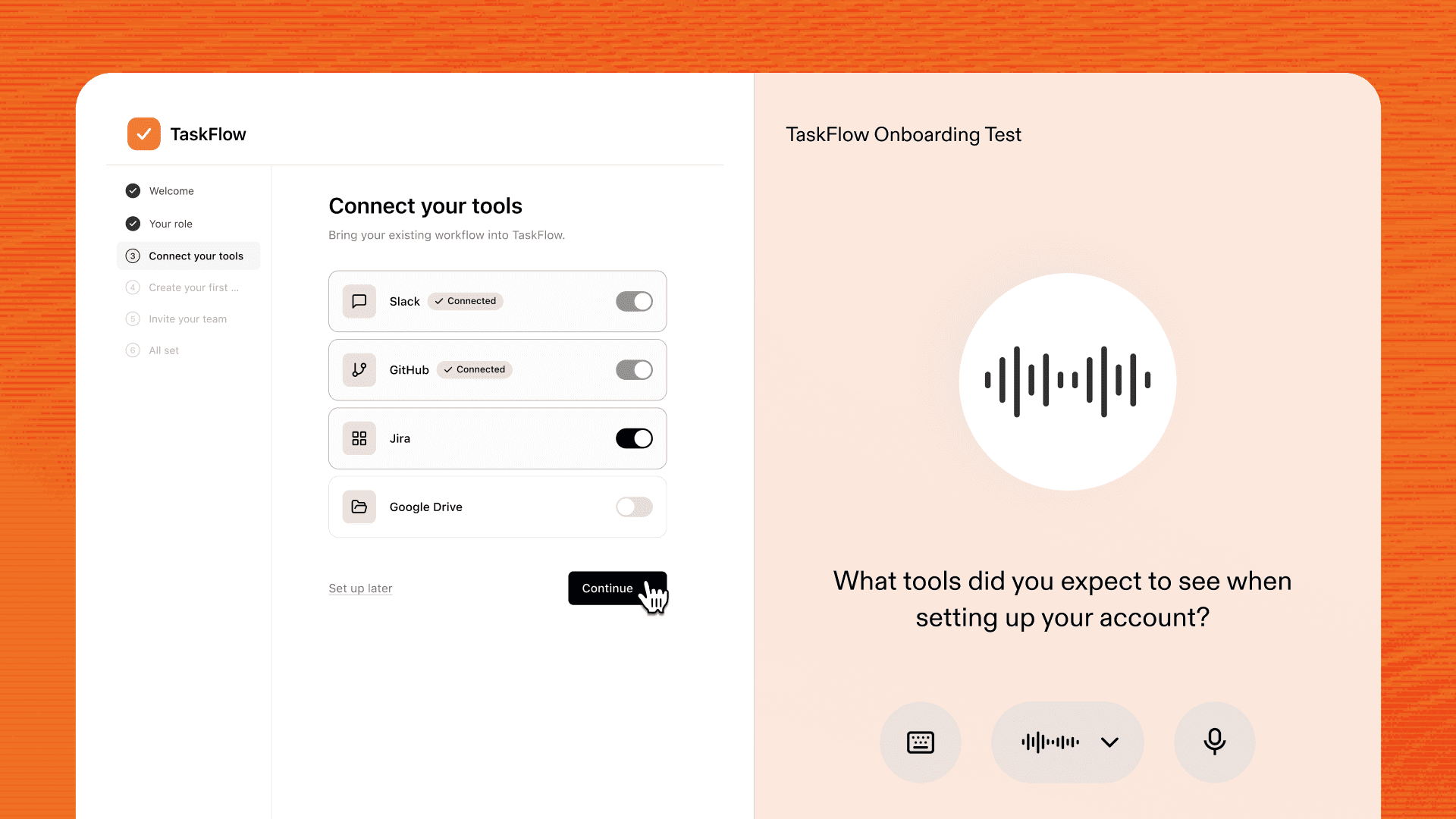
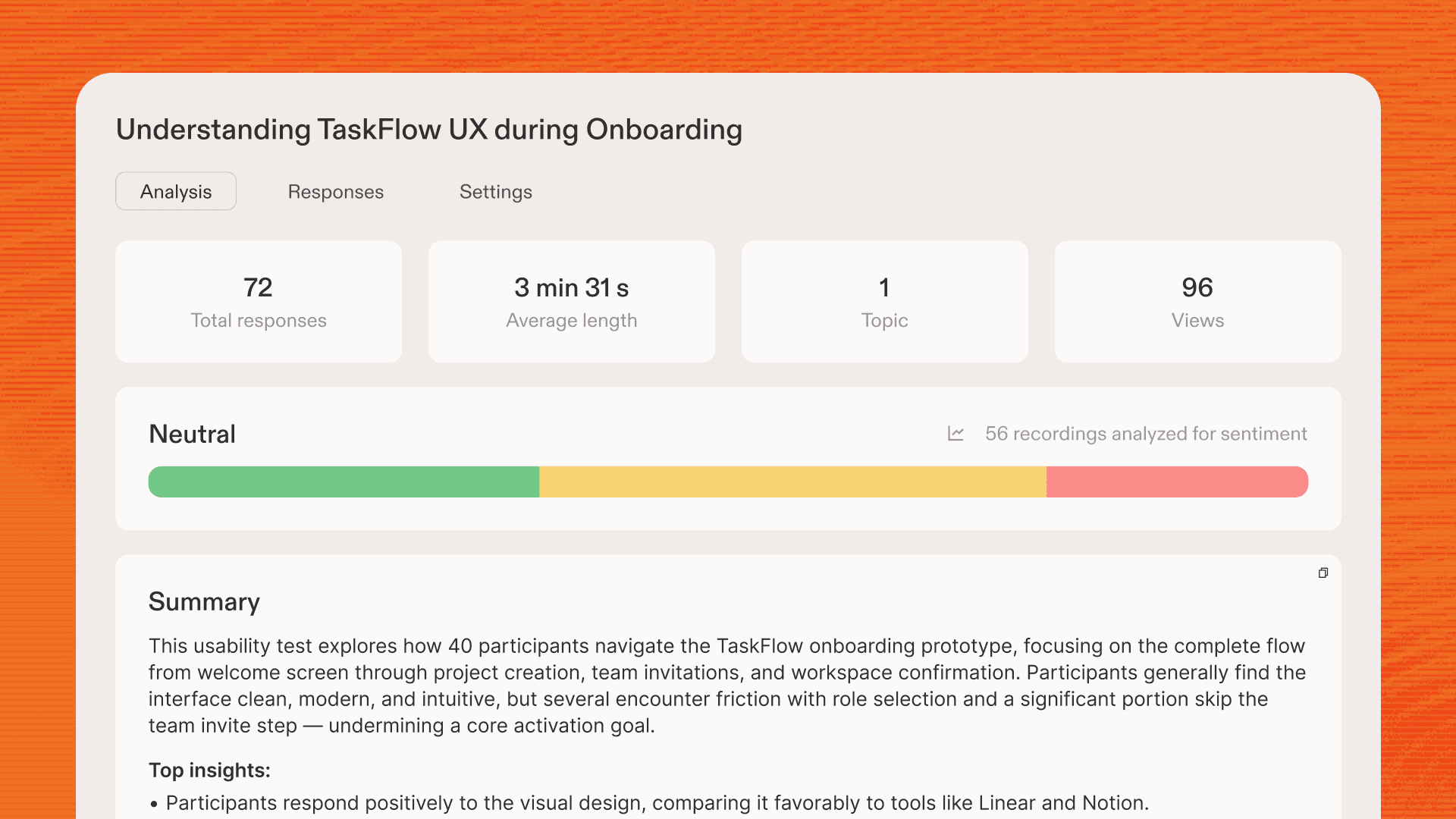
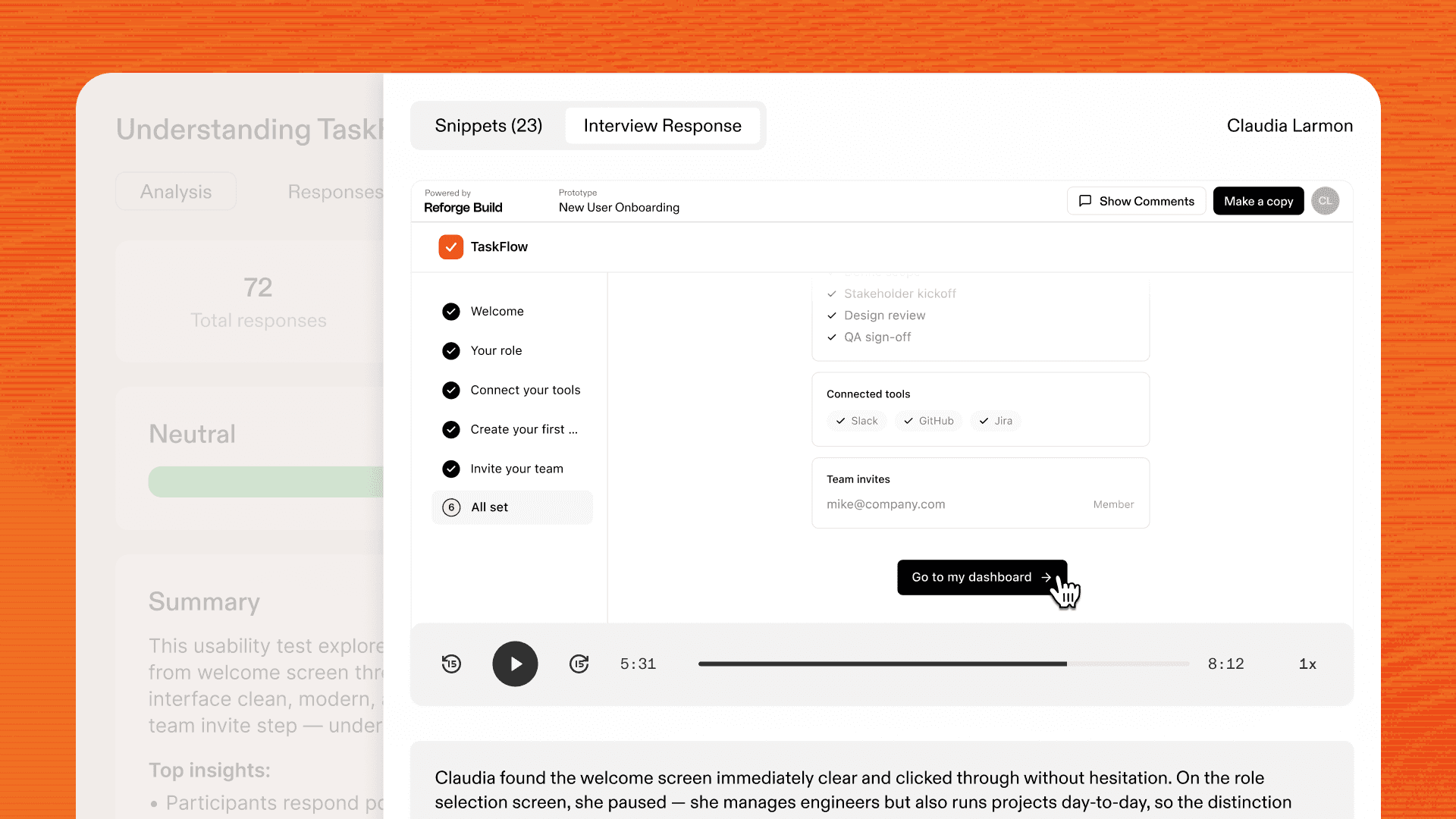
Prototype Testing adds a second layer: structured user interviews. You define what you want to learn, and the AI generates a test plan with specific tasks for real users to complete. Screen sessions are recorded as users interact with your prototype. When the sessions are done, findings are synthesized automatically in your Research dashboard, so you're not manually reviewing recordings or writing up a summary doc.
The workflow today has two steps. You build your prototype in Reforge Build, then move to Reforge Research to set up the interview and share it with users. (Direct integration between Build and Research is coming soon.)
Here's how to run your first Prototype Testing:
Navigate to the AI Interviewer in Research and start a new Prototype Test.
Provide your prototype URL and describe what you want to learn. The AI generates a test plan you can review and edit before sending.
Once you're happy with it, share the link with the users you want to test with.
They'll grant access to their microphone and screen, and a live voice AI will interview them as they navigate your prototype.
When sessions are complete, you'll get a session replay for each user, individual takeaways, and synthesized insights across all interviews.
Try the example prototype we built to see what the experience looks like from the user's side. Or take a sample Prototype Test yourself to see the interview in action.
What a complete prototype workflow looks like
Most teams think of prototyping as a creative activity. You explore an idea, build something, share it around, and move on. Prototype Testing turns that open loop into a closed one. Here's what the full cycle looks like.
1. Make prototyping part of your real workflow
Sharing prototypes with your team and stakeholders has always been part of the Build workflow. Prototype Testing extends that to users. When testing is as easy as sharing a link, it stops being a special research activity and starts being a normal step in how your team makes decisions.
2. Make your prototype feel like the real product
Because Build prototypes use your actual design system and match the visual fidelity of your product, users don't experience them as obviously fake. They navigate them the way they'd navigate your real product. That realism is what makes the feedback meaningful. You're not asking users to imagine how they'd feel. You're watching what they actually do.
3. Explore multiple solutions
AI prototyping makes it cheap to generate multiple directions for any product decision. Instead of committing to one idea early, you can build two or three versions of a flow and bring them all into testing. The ideas that survive user feedback are the ones worth investing in.
4. Collect feedback and validate before you commit
The structured findings from a Prototype Testing session answer a specific question: can real users accomplish the goals your prototype was designed for? That answer belongs at the beginning of your engineering handoff, not at the end of your next sprint. Getting it early is what prevents low-adoption features from entering the build pipeline in the first place.
The discovery deficit only gets worse if you ignore it
AI made building faster. A lot faster. Teams that used to ship one or two features a quarter are now shipping many more. That's good for velocity. It's bad for quality if the validation side doesn't keep up.
The discovery deficit is the gap between how fast your team can build and how fast it can validate what's worth building. When building accelerates and validation stays slow, more low-signal ideas make it into production. More features ship with low adoption. More product debt accumulates.
Closing that gap doesn't require a bigger research team or a slower build process. It requires validation tools that move at the same speed as the rest of your workflow. That's what Prototype Testing is built to do.
Your prototype is ready. Now find out if it works.
Book a demo or sign up today to run your first test.


AI prototyping tools have made it fast enough that building is no longer the constraint on exploration. Teams are generating more ideas, more directions, and more interactive prototypes than ever before.
But knowing what to build is still just as hard, and the stakes keep getting higher. Getting user feedback on prototypes still takes the same amount of time it always did. It's slow, manual, and messy. This gap is where most product debt originates.
How to run a user test on your AI prototype
Reforge Build has had quick feedback built in from day one. You can share a prototype with a link, collect element-level comments, and loop in stakeholders without leaving the tool. That kind of feedback is fast and useful for alignment.
But quick feedback has limits. When a colleague reviews your prototype, they already understand your product and the problem you're solving. They bring context that real users don't have. What you learn from them is what your team thinks, which is a different question from whether your users can actually use what you built.
Prototype Testing adds a second layer: structured user interviews. You define what you want to learn, and the AI generates a test plan with specific tasks for real users to complete. Screen sessions are recorded as users interact with your prototype. When the sessions are done, findings are synthesized automatically in your Research dashboard, so you're not manually reviewing recordings or writing up a summary doc.
The workflow today has two steps. You build your prototype in Reforge Build, then move to Reforge Research to set up the interview and share it with users. (Direct integration between Build and Research is coming soon.)
Here's how to run your first Prototype Testing:
Navigate to the AI Interviewer in Research and start a new Prototype Test.
Provide your prototype URL and describe what you want to learn. The AI generates a test plan you can review and edit before sending.
Once you're happy with it, share the link with the users you want to test with.
They'll grant access to their microphone and screen, and a live voice AI will interview them as they navigate your prototype.
When sessions are complete, you'll get a session replay for each user, individual takeaways, and synthesized insights across all interviews.
Try the example prototype we built to see what the experience looks like from the user's side. Or take a sample Prototype Test yourself to see the interview in action.
What a complete prototype workflow looks like
Most teams think of prototyping as a creative activity. You explore an idea, build something, share it around, and move on. Prototype Testing turns that open loop into a closed one. Here's what the full cycle looks like.
1. Make prototyping part of your real workflow
Sharing prototypes with your team and stakeholders has always been part of the Build workflow. Prototype Testing extends that to users. When testing is as easy as sharing a link, it stops being a special research activity and starts being a normal step in how your team makes decisions.
2. Make your prototype feel like the real product
Because Build prototypes use your actual design system and match the visual fidelity of your product, users don't experience them as obviously fake. They navigate them the way they'd navigate your real product. That realism is what makes the feedback meaningful. You're not asking users to imagine how they'd feel. You're watching what they actually do.
3. Explore multiple solutions
AI prototyping makes it cheap to generate multiple directions for any product decision. Instead of committing to one idea early, you can build two or three versions of a flow and bring them all into testing. The ideas that survive user feedback are the ones worth investing in.
4. Collect feedback and validate before you commit
The structured findings from a Prototype Testing session answer a specific question: can real users accomplish the goals your prototype was designed for? That answer belongs at the beginning of your engineering handoff, not at the end of your next sprint. Getting it early is what prevents low-adoption features from entering the build pipeline in the first place.
The discovery deficit only gets worse if you ignore it
AI made building faster. A lot faster. Teams that used to ship one or two features a quarter are now shipping many more. That's good for velocity. It's bad for quality if the validation side doesn't keep up.
The discovery deficit is the gap between how fast your team can build and how fast it can validate what's worth building. When building accelerates and validation stays slow, more low-signal ideas make it into production. More features ship with low adoption. More product debt accumulates.
Closing that gap doesn't require a bigger research team or a slower build process. It requires validation tools that move at the same speed as the rest of your workflow. That's what Prototype Testing is built to do.
Your prototype is ready. Now find out if it works.
Book a demo or sign up today to run your first test.