Reforge has joined Miro ↗
All articles
Meet Context Engine: Prototypes that match your product from the first generation
Feb 19, 2026
Context Engine is the newest feature in Reforge Build. To learn more about how product teams are using it to build prototypes with their actual design systems and components, you can book a demo or sign up for free today.
Product teams can now visualize the future state of their product in the first conversation. Not as wireframes, but as prototypes that look production-ready.
Your design system exists somewhere. Probably in Figma, maybe in Storybook, definitely in your actual product. But until now, it wasn't easily accessible when you're prototyping. So you end up with prototypes that look polished but don't match your product. You use generic blue buttons, placeholder layouts, components that need rebuilding, etc. while telling your team, "Now just imagine this workflow in our product."
When prototypes look and feel like the real product, you get better feedback. Not because it impresses them. Because they can evaluate the solution instead of imagining what it might look like in production.
Your design system becomes AI's default rulebook
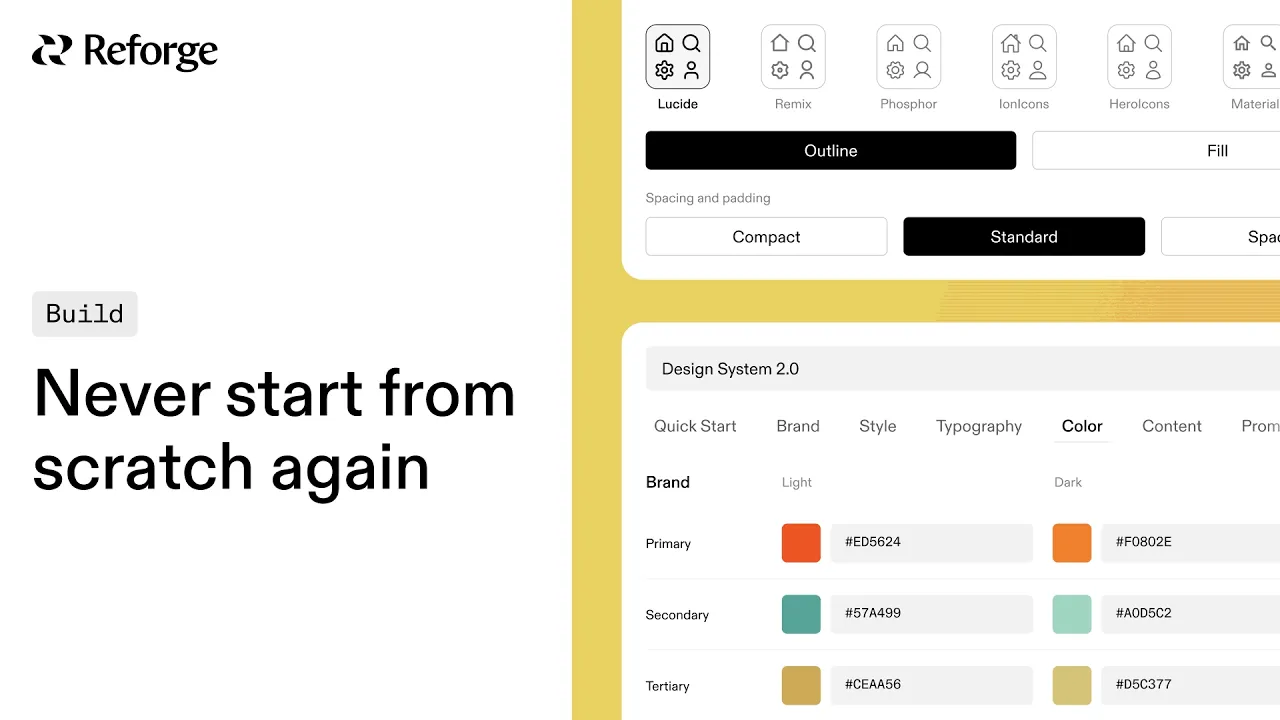
Context Engine brings your company's design system, components, and product context directly into Reforge Build. Just paste your site’s URL and Build will capture your colors, layouts, typography, logo and more. Now, everyone on the team starts from the same foundation with prototypes that match your product from the first generation.
There are three core parts to the Context Engine:
1 - Apply your own Design System in just a few minutes
Set your default look and feel. Choose from preset themes or build custom rules.
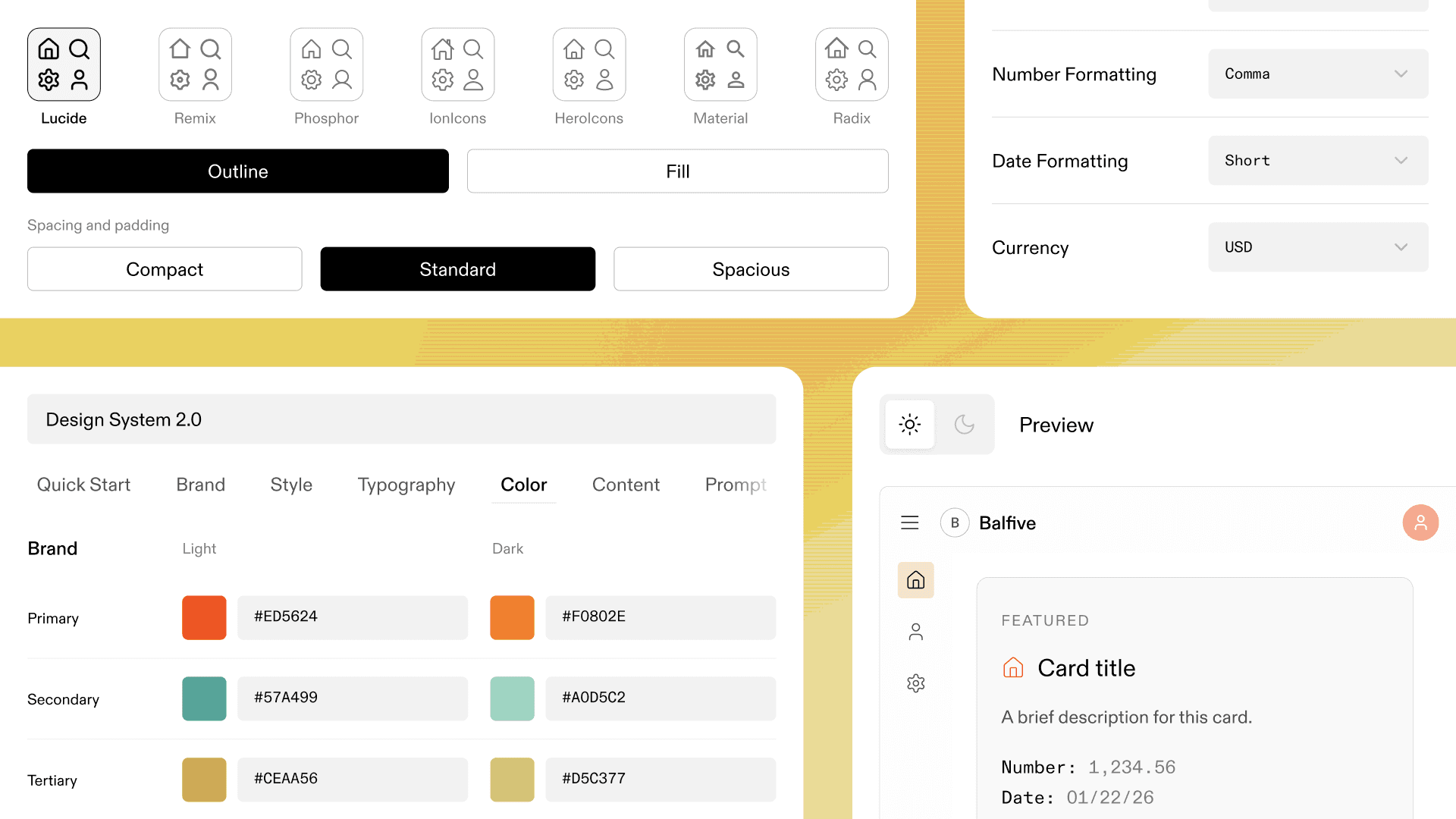
Define colors, typography, spacing, and layouts
Select icon libraries like Remix or Ion icons
Upload logo and emblem variations for light and dark mode
Set content formatting preferences like currency formats or date styles
Preview how prototypes will render in light or dark mode before you generate
The live preview shows exactly how your prototypes will look. Test light and dark mode. See your actual brand colors applied to components. Make adjustments without generating multiple versions.
You can also capture a Design System using our browser extension. Just navigate to a page on your site or a logged-in URL, open our browser extension, and Reforge Build will do the rest. on your site or a logged-in URL, open our browser extension, and Reforge Build will do the rest.
2 - Capture product components with our browser extension
Use our Chrome extension to capture UI elements directly from your product or any website.
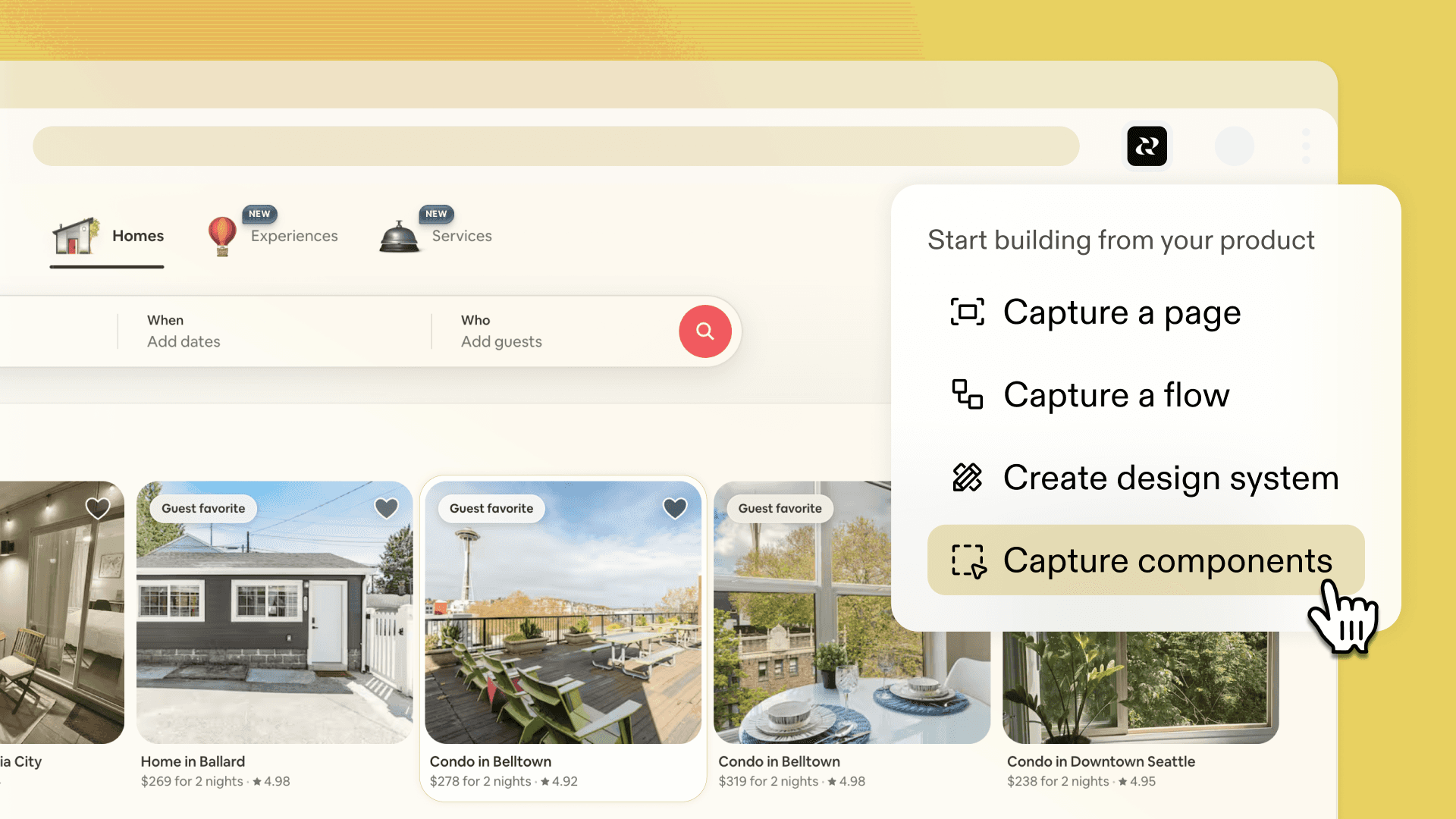
Select elements from a page and add them to your component library
Toggle components on or off
Update them by selecting elements in a prototype
Reuse them across projects
Paste any URL and Build automatically extracts the design patterns
Your component library is built from actual production UI, not recreations.
3 - Create global context for your entire team to use
Upload brand guidelines, product documentation, or reference URLs. Build synthesizes everything into a context summary you can review. This means prototypes reflect not just how your product looks, but what it does and who uses it.
The compound benefits of shared context
Every prototype you build adds to your team's shared library. Capture a component once, reuse it everywhere. Define your design system once, make it the workspace default. The tool gets smarter about your product the more you use it.
Product teams waste time in two places. Gathering context to make a decision, and then re-gathering that same context when the next person needs it. Context Engine builds your company's context once. Design system, components, product details. Then everyone on the team starts from the same foundation.
Start building today
Context Engine is available in Reforge Build now. Set up your design system, capture your components, and start building prototypes that match your product from the first generation.


Product teams can now visualize the future state of their product in the first conversation. Not as wireframes, but as prototypes that look production-ready.
Your design system exists somewhere. Probably in Figma, maybe in Storybook, definitely in your actual product. But until now, it wasn't easily accessible when you're prototyping. So you end up with prototypes that look polished but don't match your product. You use generic blue buttons, placeholder layouts, components that need rebuilding, etc. while telling your team, "Now just imagine this workflow in our product."
When prototypes look and feel like the real product, you get better feedback. Not because it impresses them. Because they can evaluate the solution instead of imagining what it might look like in production.
Your design system becomes AI's default rulebook
Context Engine brings your company's design system, components, and product context directly into Reforge Build. Just paste your site’s URL and Build will capture your colors, layouts, typography, logo and more. Now, everyone on the team starts from the same foundation with prototypes that match your product from the first generation.
There are three core parts to the Context Engine:
1 - Apply your own Design System in just a few minutes
Set your default look and feel. Choose from preset themes or build custom rules.
Define colors, typography, spacing, and layouts
Select icon libraries like Remix or Ion icons
Upload logo and emblem variations for light and dark mode
Set content formatting preferences like currency formats or date styles
Preview how prototypes will render in light or dark mode before you generate
The live preview shows exactly how your prototypes will look. Test light and dark mode. See your actual brand colors applied to components. Make adjustments without generating multiple versions.
You can also capture a Design System using our browser extension. Just navigate to a page on your site or a logged-in URL, open our browser extension, and Reforge Build will do the rest. on your site or a logged-in URL, open our browser extension, and Reforge Build will do the rest.
2 - Capture product components with our browser extension
Use our Chrome extension to capture UI elements directly from your product or any website.
Select elements from a page and add them to your component library
Toggle components on or off
Update them by selecting elements in a prototype
Reuse them across projects
Paste any URL and Build automatically extracts the design patterns
Your component library is built from actual production UI, not recreations.
3 - Create global context for your entire team to use
Upload brand guidelines, product documentation, or reference URLs. Build synthesizes everything into a context summary you can review. This means prototypes reflect not just how your product looks, but what it does and who uses it.
The compound benefits of shared context
Every prototype you build adds to your team's shared library. Capture a component once, reuse it everywhere. Define your design system once, make it the workspace default. The tool gets smarter about your product the more you use it.
Product teams waste time in two places. Gathering context to make a decision, and then re-gathering that same context when the next person needs it. Context Engine builds your company's context once. Design system, components, product details. Then everyone on the team starts from the same foundation.
Start building today
Context Engine is available in Reforge Build now. Set up your design system, capture your components, and start building prototypes that match your product from the first generation.