Reforge has joined Miro ↗
Plan mode helps turn your half-baked ideas into great prototypes. Reforge Build is AI prototyping for product teams. Start from your product, not from scratch.
Most great features start half-baked.
A fuzzy idea from a customer call. An incomplete complaint in feedback. A gut feel about what's broken. A "what if" from your shower.
But AI doesn't work well this way. You can hold a half-formed concept and slowly shape it into something concrete. AI prototyping tools need specificity upfront. Clear directions. Detailed requirements.
Do you really want to create pages of requirements before you see a single pixel? The process meant to speed you up actually slowed you down.
Plan Mode in Reforge Build fixes this.
It helps you start with that half-baked idea and mold it into something compelling, without writing a dissertation first. You bring the raw ingredients. Plan Mode does the cooking.
How Plan Mode Works To Create Better Prototypes Using Reforge Build
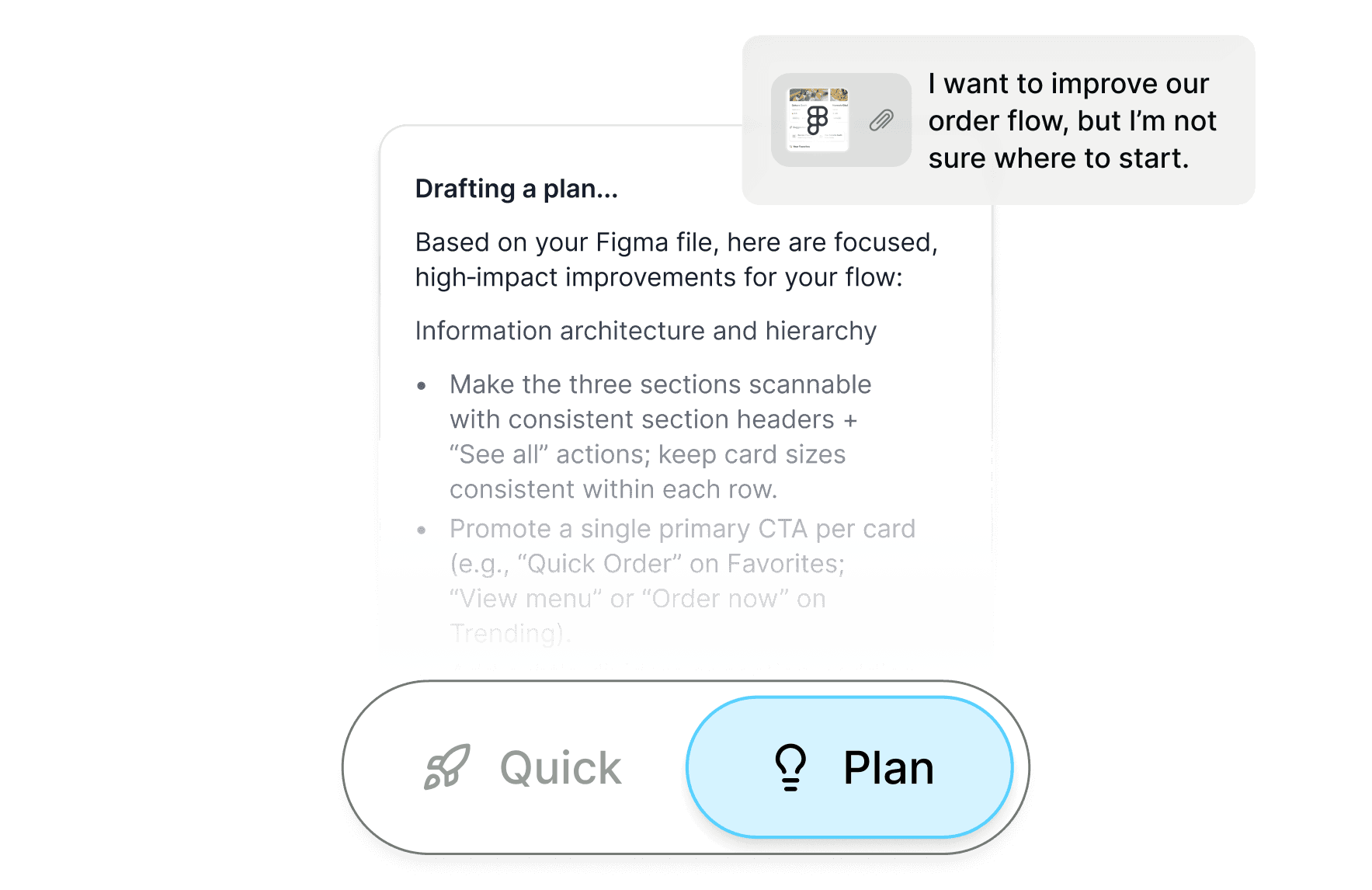
Plan Mode is a structured discovery process that happens before generation.
Think of it as having a senior product person sit down with you to talk through your idea. They ask clarifying questions. Point out things you haven't considered. Help you think through edge cases. Then document everything clearly so anyone could build it.
Here's what happens:
First, it looks at your existing context. Plan Mode pulls from everything you've already stored in Reforge Build. Your design system, customer feedback, product docs, personas, data schemas. It looks for relevant information that should shape this feature.
Then it asks you questions. Not generic questions. Specific ones based on what you're building and what it found in your context. Questions about edge cases you might have missed. Trade-offs you should consider. User segments that might experience this differently.
Creates a lightweight mockup. Like a good whiteboard partner, it creates a lightweight visual mockup you can course correct to navigate to the right output.
Next, it creates a detailed blueprint. Once you've answered the questions, Plan Mode assembles everything into a clear, structured plan. User needs. Key interactions. Layout priorities. Technical considerations. The kind of spec that results in a prototype that actually matches your vision.
Finally, it generates. With that blueprint in hand, AI builds your prototype. Not a random interpretation of vague instructions, but something built from a shared understanding of what you're trying to accomplish.
Start with that half-baked idea. Let Plan Mode turn it into something concrete.
Example: From Vague Customer Feedback To Clear Improvements
The half-baked start: Your customer says, "The dashboard is too messy and confusing."
Without Plan Mode: You prompt "simplify the dashboard." → AI removes half the elements randomly, maybe adds some whitespace, and gives you something generic.
With Reforge Build & Plan Mode:
Capture the Dashboard In One Click: Using our browser extension, capture the dashboard and replicate it’s exact design in one click.
Researches your context: Checks your context for target customer, additional feedback, and more.
Asks clarifying questions: Which task is the user trying to complete? What information is time-sensitive? Are they managing one account or multiple?
Suggests approaches: Do you want to prioritize top 3 metric vs. progressive disclosure vs. customizable widgets vs. tab-based organization
Result: A prototype that targets the actual "messy and confusing" problem based on your page, your data, and the direction you chose.
Example: From Shower Thought to Shipping Feature
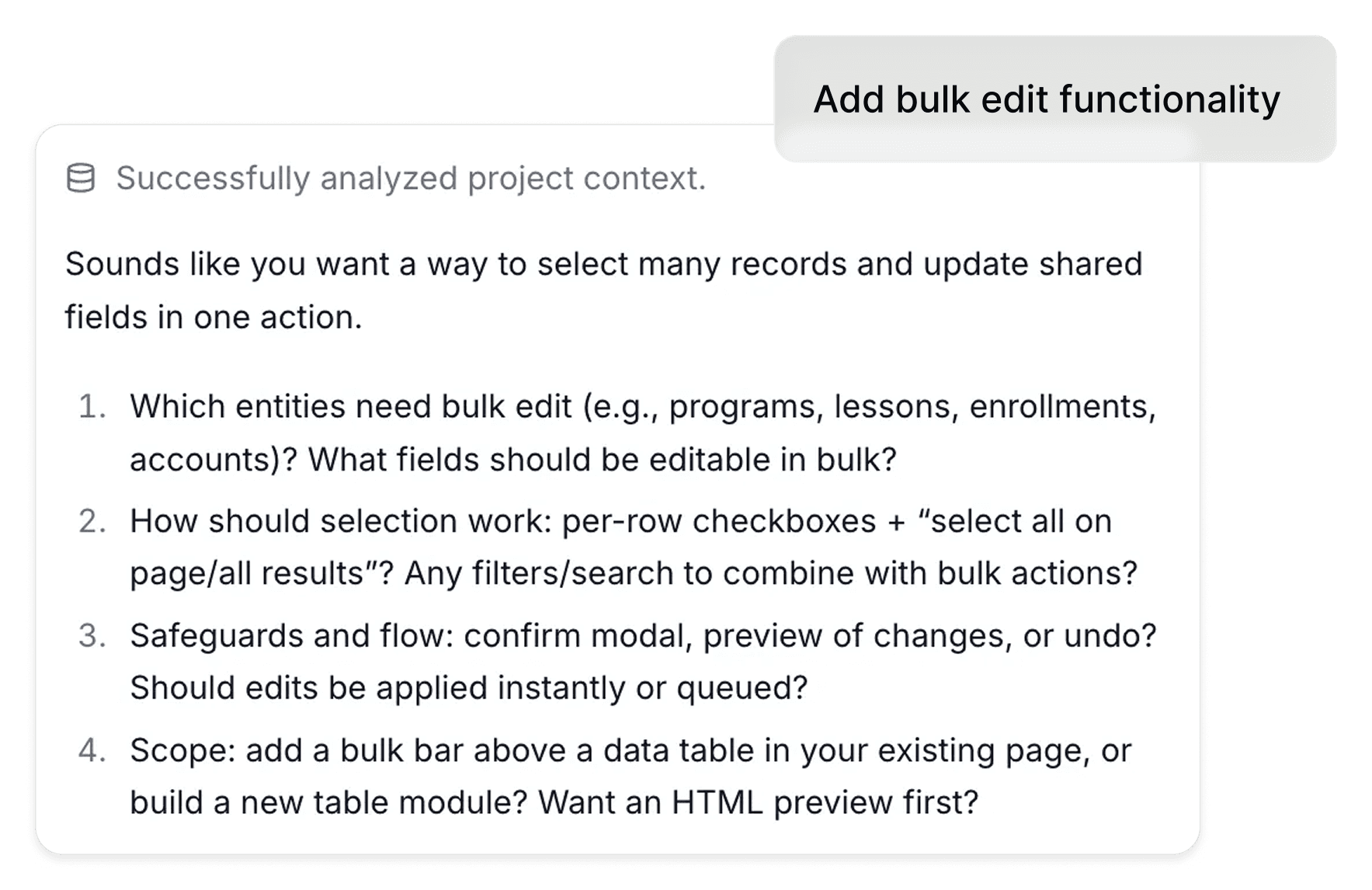
The half-baked start: "What if users could bulk edit items somehow?"
Without Plan Mode: You write "add bulk edit functionality" → AI generates a generic checkbox table with delete/archive buttons
With Plan Mode:
Surfaces questions: Which fields actually need bulk editing? How many items do users typically manage? What errors could compound at scale?
Suggests approaches: Inline editing vs. modal vs. dedicated page, handling conflicts, undo patterns
Result: Bulk editor that includes your actual fields and handles common scenarios
Example: From Metric Problem to Feature Solution
The half-baked start: "Our activation rate dropped 12% last quarter"
Without Plan Mode: You prompt "improve user activation" → AI builds a generic onboarding tour with tooltips
With Plan Mode:
Researches your context: Pulls your actual activation definition, user segments, and goals
Asks clarifying questions: Which user segment dropped most? What changed in the product/market? Where in the flow are they falling off? Any constraints on changes (must keep layout, etc)?
Proposes Options: Do you want A/B variants to compare? Too many steps? Missing value moment? Confusing first action?
Result: Targeted prototype exploring the bottleneck.
Plan Mode Is Just The Beginning
Plan Mode helps you think through your ideas. But Reforge Build does more than that. Most AI prototyping tools are built for entrepreneurs starting from scratch. Reforge Build is built for product teams working on existing products.
Your prototypes look like your product. Capture your actual pages and designs with our browser extension.
Context that doesn't evaporate. Store customer feedback, personas, strategy docs, and data schemas at company and project levels.
Generate multiple variants simultaneously. Don't prototype one solution and hope it works. Explore multiple approaches side-by-side.
Built-in collaboration. Your team comments directly on prototypes. No more feedback scattered across Slack threads and Notion docs.
Reusable templates. Turn any prototype into a template. Build once. Start from that foundation next time instead of recreating the same patterns.
Try Reforge Build Free
Reforge Build is available now with a free tier.
Try it free here or book a demo to see Plan Mode in action.
Plan mode helps turn your half-baked ideas into great prototypes. Reforge Build is AI prototyping for product teams. Start from your product, not from scratch.
Most great features start half-baked.
A fuzzy idea from a customer call. An incomplete complaint in feedback. A gut feel about what's broken. A "what if" from your shower.
But AI doesn't work well this way. You can hold a half-formed concept and slowly shape it into something concrete. AI prototyping tools need specificity upfront. Clear directions. Detailed requirements.
Do you really want to create pages of requirements before you see a single pixel? The process meant to speed you up actually slowed you down.
Plan Mode in Reforge Build fixes this.
It helps you start with that half-baked idea and mold it into something compelling, without writing a dissertation first. You bring the raw ingredients. Plan Mode does the cooking.
How Plan Mode Works To Create Better Prototypes Using Reforge Build
Plan Mode is a structured discovery process that happens before generation.
Think of it as having a senior product person sit down with you to talk through your idea. They ask clarifying questions. Point out things you haven't considered. Help you think through edge cases. Then document everything clearly so anyone could build it.
Here's what happens:
First, it looks at your existing context. Plan Mode pulls from everything you've already stored in Reforge Build. Your design system, customer feedback, product docs, personas, data schemas. It looks for relevant information that should shape this feature.
Then it asks you questions. Not generic questions. Specific ones based on what you're building and what it found in your context. Questions about edge cases you might have missed. Trade-offs you should consider. User segments that might experience this differently.
Creates a lightweight mockup. Like a good whiteboard partner, it creates a lightweight visual mockup you can course correct to navigate to the right output.
Next, it creates a detailed blueprint. Once you've answered the questions, Plan Mode assembles everything into a clear, structured plan. User needs. Key interactions. Layout priorities. Technical considerations. The kind of spec that results in a prototype that actually matches your vision.
Finally, it generates. With that blueprint in hand, AI builds your prototype. Not a random interpretation of vague instructions, but something built from a shared understanding of what you're trying to accomplish.
Start with that half-baked idea. Let Plan Mode turn it into something concrete.
Example: From Vague Customer Feedback To Clear Improvements
The half-baked start: Your customer says, "The dashboard is too messy and confusing."
Without Plan Mode: You prompt "simplify the dashboard." → AI removes half the elements randomly, maybe adds some whitespace, and gives you something generic.
With Reforge Build & Plan Mode:
Capture the Dashboard In One Click: Using our browser extension, capture the dashboard and replicate it’s exact design in one click.
Researches your context: Checks your context for target customer, additional feedback, and more.
Asks clarifying questions: Which task is the user trying to complete? What information is time-sensitive? Are they managing one account or multiple?
Suggests approaches: Do you want to prioritize top 3 metric vs. progressive disclosure vs. customizable widgets vs. tab-based organization
Result: A prototype that targets the actual "messy and confusing" problem based on your page, your data, and the direction you chose.
Example: From Shower Thought to Shipping Feature
The half-baked start: "What if users could bulk edit items somehow?"
Without Plan Mode: You write "add bulk edit functionality" → AI generates a generic checkbox table with delete/archive buttons
With Plan Mode:
Surfaces questions: Which fields actually need bulk editing? How many items do users typically manage? What errors could compound at scale?
Suggests approaches: Inline editing vs. modal vs. dedicated page, handling conflicts, undo patterns
Result: Bulk editor that includes your actual fields and handles common scenarios
Example: From Metric Problem to Feature Solution
The half-baked start: "Our activation rate dropped 12% last quarter"
Without Plan Mode: You prompt "improve user activation" → AI builds a generic onboarding tour with tooltips
With Plan Mode:
Researches your context: Pulls your actual activation definition, user segments, and goals
Asks clarifying questions: Which user segment dropped most? What changed in the product/market? Where in the flow are they falling off? Any constraints on changes (must keep layout, etc)?
Proposes Options: Do you want A/B variants to compare? Too many steps? Missing value moment? Confusing first action?
Result: Targeted prototype exploring the bottleneck.
Plan Mode Is Just The Beginning
Plan Mode helps you think through your ideas. But Reforge Build does more than that. Most AI prototyping tools are built for entrepreneurs starting from scratch. Reforge Build is built for product teams working on existing products.
Your prototypes look like your product. Capture your actual pages and designs with our browser extension.
Context that doesn't evaporate. Store customer feedback, personas, strategy docs, and data schemas at company and project levels.
Generate multiple variants simultaneously. Don't prototype one solution and hope it works. Explore multiple approaches side-by-side.
Built-in collaboration. Your team comments directly on prototypes. No more feedback scattered across Slack threads and Notion docs.
Reusable templates. Turn any prototype into a template. Build once. Start from that foundation next time instead of recreating the same patterns.
Try Reforge Build Free
Reforge Build is available now with a free tier.
Try it free here or book a demo to see Plan Mode in action.