Reforge has joined Miro ↗
Reforge is launching a collection of membership features over the coming weeks designed to move you from learning to doing more quickly. Read to hear from our Product Team about the changes.
Artifacts to See How Others Have Done It
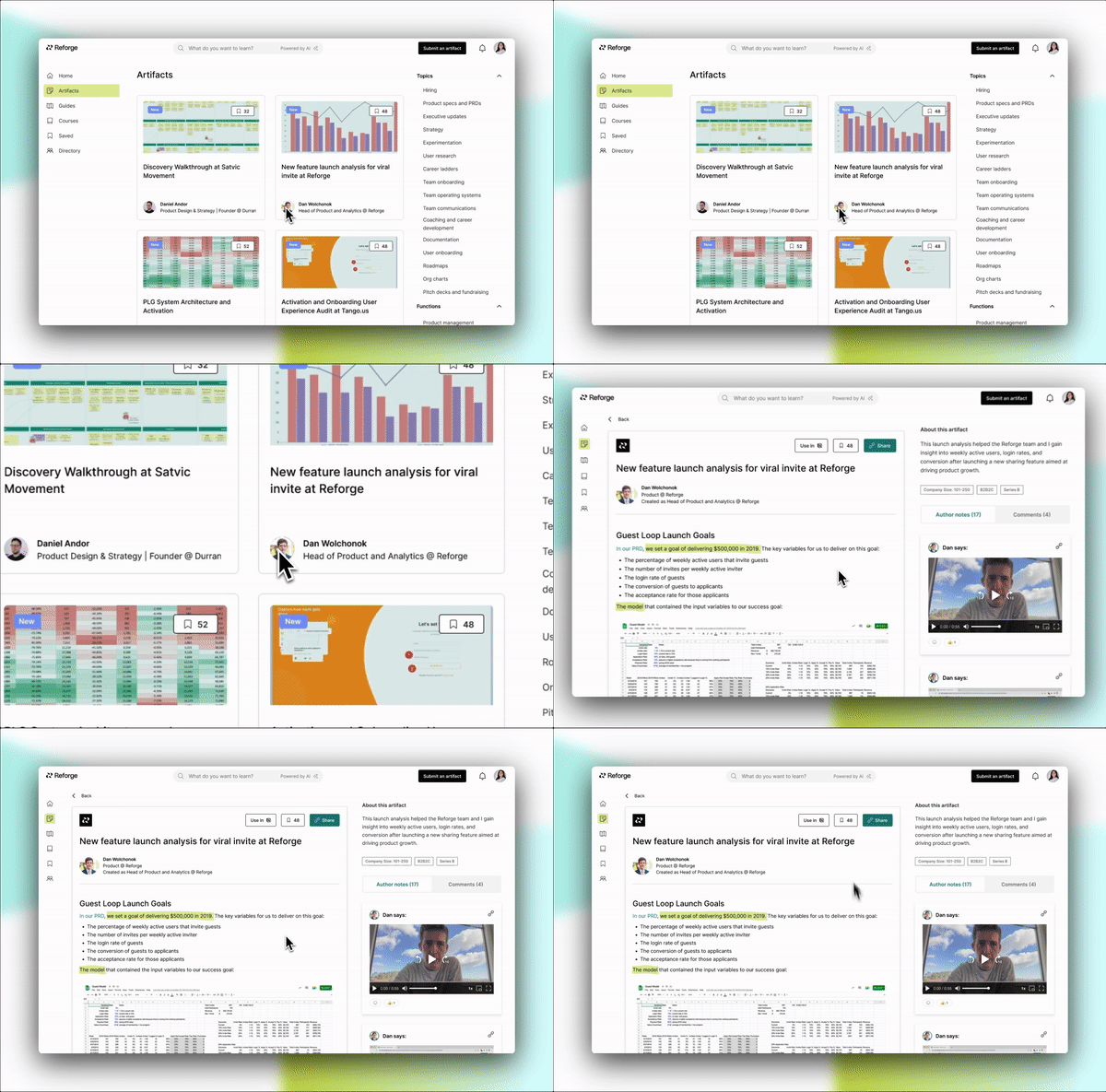
This past summer, we introduced artifacts to give you a window-pane view into real examples of work annotated by the individuals who built them, offering you a transparent glance into the thoughts they navigated during the creation process.
In the coming weeks, we are integrating Artifacts into your Reforge membership so that it’s more intuitive to find and use them in your work.
Try Artifacts for Free
Guides for Immediate Application
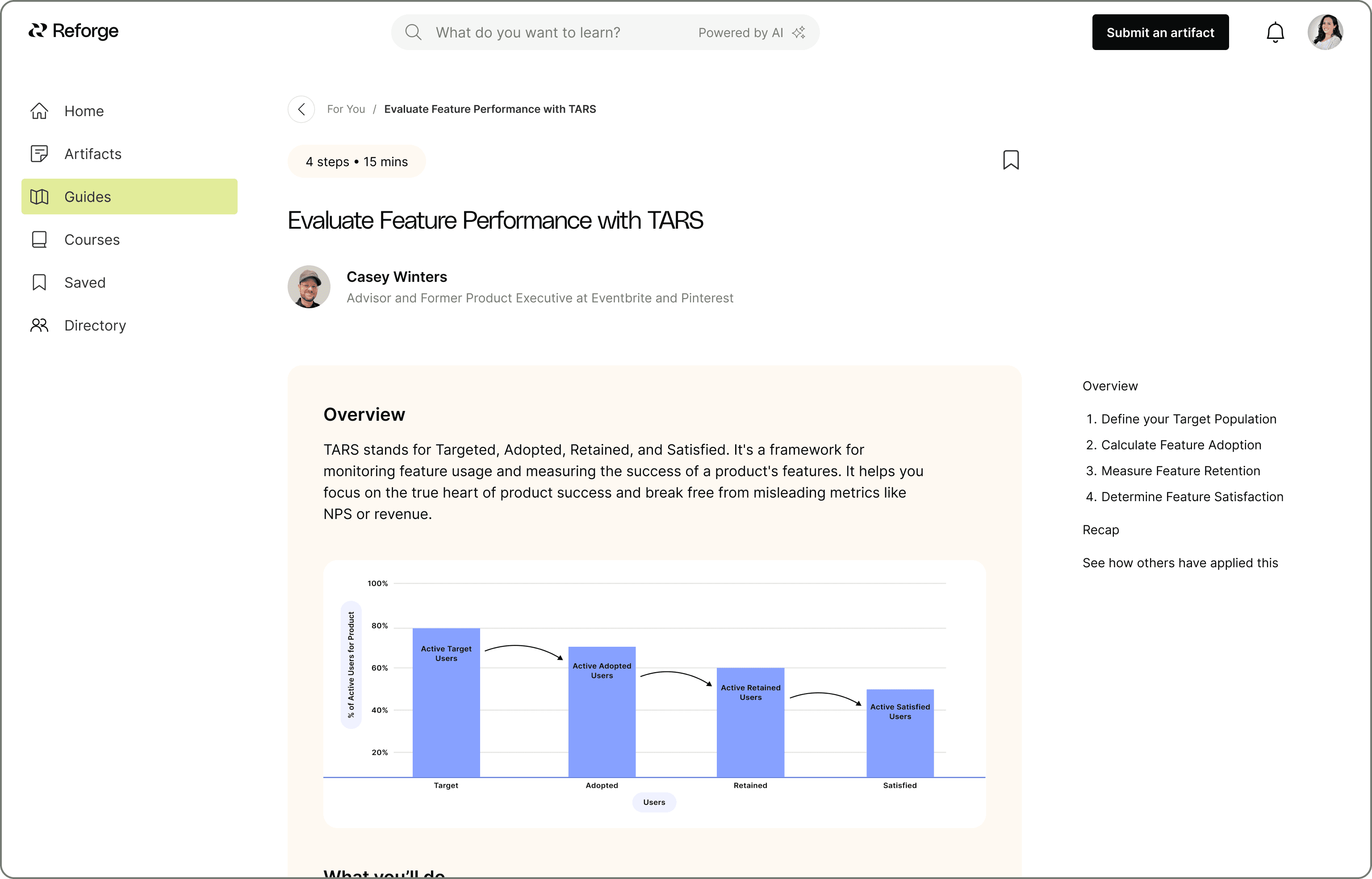
The single largest shortcoming in most educational content is that it covers the theory but not how to apply it. We’re introducing Guides to change this for our members.
Guides are short, actionable recipes that help you execute a concept or framework, written by the top operators on Reforge. Each step of a Guide is accompanied by tips from the experts to make it easier to apply to your work.
Try Guides Now
AI-Powered Search
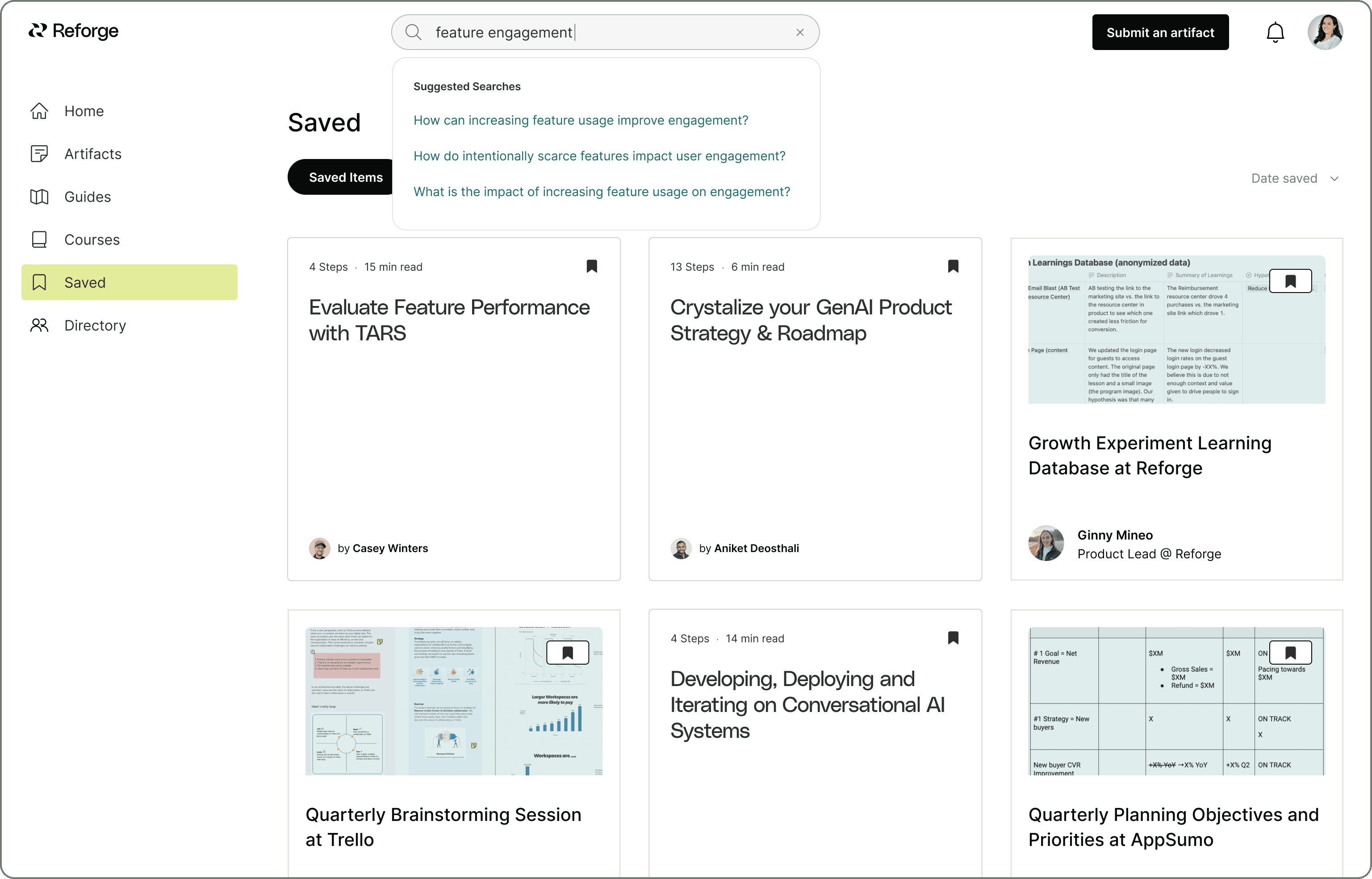
We’re replacing our “Explore” browsing experience with AI-Powered search. It’s a highly accurate, faster way to find the most relevant content in the Reforge library based on what you’re working on.
The new search allows you to use natural language to ask Reforge a question, and responds with the artifact or content in our library that answers it best.
Try AI-Powered Search
Monthly Live Courses
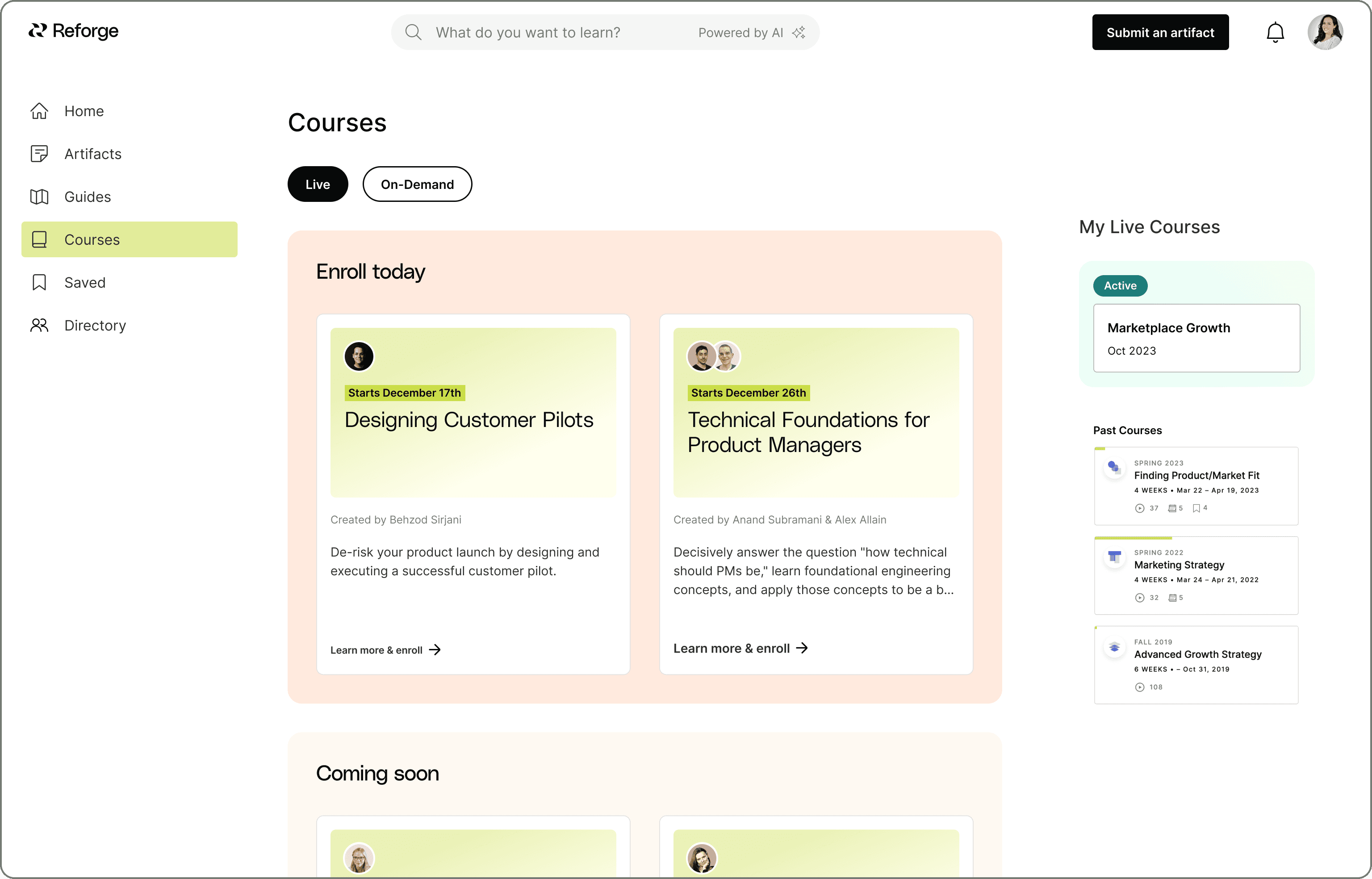
We are bringing our schedule of upcoming live courses directly into the platform so that it’s even easier to browse and choose a course hosted by the top experts in their field. And it gets better: **Live courses will be offered monthly on Reforge instead of only twice per year. **And, we are designing them to be shorter and more actionable.
For our long-time members, our classic Reforge programs aren’t going anywhere. Now, you’ll find them all available under the Courses marketplace, either offered live or on-demand.
Simplified Navigation
With Artifacts, Guides and Courses now under one roof, you’ll see a simplified navigation that should make it easier for you to browse content and find what meets your needs.
The updated navigation moves away from explore, programs, and events, and will include:
Home
Artifacts
Guides
Courses
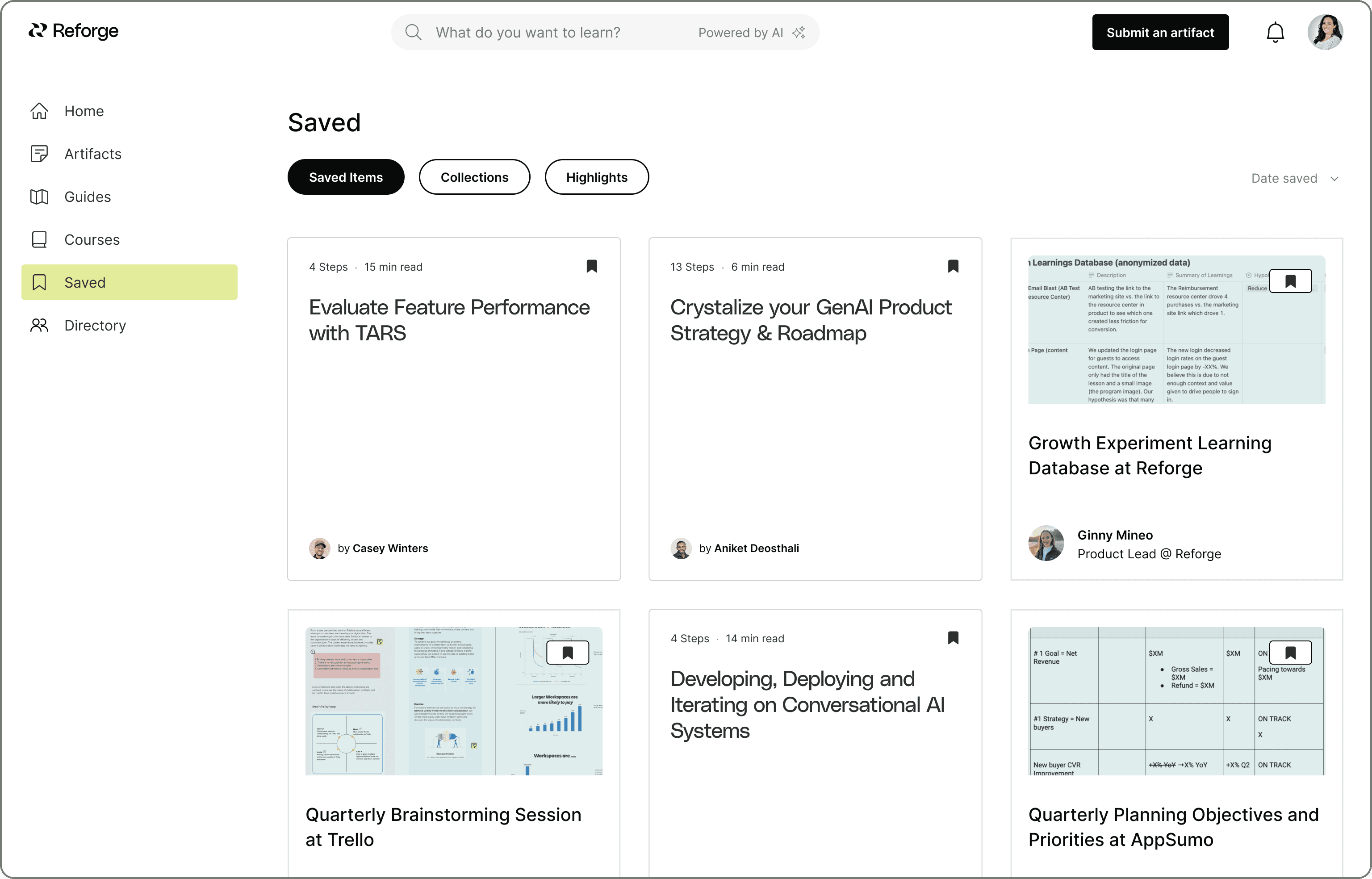
Saved
Directory
For live events, we encourage you to find all of your upcoming live events and past event replays directly on your course dashboard.
Save for Later
We’ve made some usability improvements to the saving features in Reforge to make organizing what you care about even easier.
What’s new:
Instead of using the “+” button, clicking the bookmark icon on any piece of content will save it for you.
We’ve renamed the bookmarking action within lessons to “Highlights” for clarity. Simply use the highlighter to save important text or images within lessons. You’ll find all your highlights neatly organized under “Highlights” in your Saved space and still conveniently located in the right sidebar of your lessons.
My Library is now called “Saved” in the left navigation: It’s your one-stop destination for all your saved content, highlights, and organizing any of those into collections.
In Conclusion
Members will notice these updates over the next few weeks and have access to all of them in the new year. Our core goal with these updates is to simplify and unify the Reforge experience, so that you can find what you need, when you need it.
Not a Reforge member?
Explore Membership Here
Reforge is launching a collection of membership features over the coming weeks designed to move you from learning to doing more quickly. Read to hear from our Product Team about the changes.
Artifacts to See How Others Have Done It
This past summer, we introduced artifacts to give you a window-pane view into real examples of work annotated by the individuals who built them, offering you a transparent glance into the thoughts they navigated during the creation process.
In the coming weeks, we are integrating Artifacts into your Reforge membership so that it’s more intuitive to find and use them in your work.
Try Artifacts for Free
Guides for Immediate Application
The single largest shortcoming in most educational content is that it covers the theory but not how to apply it. We’re introducing Guides to change this for our members.
Guides are short, actionable recipes that help you execute a concept or framework, written by the top operators on Reforge. Each step of a Guide is accompanied by tips from the experts to make it easier to apply to your work.
Try Guides Now
AI-Powered Search
We’re replacing our “Explore” browsing experience with AI-Powered search. It’s a highly accurate, faster way to find the most relevant content in the Reforge library based on what you’re working on.
The new search allows you to use natural language to ask Reforge a question, and responds with the artifact or content in our library that answers it best.
Try AI-Powered Search
Monthly Live Courses
We are bringing our schedule of upcoming live courses directly into the platform so that it’s even easier to browse and choose a course hosted by the top experts in their field. And it gets better: **Live courses will be offered monthly on Reforge instead of only twice per year. **And, we are designing them to be shorter and more actionable.
For our long-time members, our classic Reforge programs aren’t going anywhere. Now, you’ll find them all available under the Courses marketplace, either offered live or on-demand.
Simplified Navigation
With Artifacts, Guides and Courses now under one roof, you’ll see a simplified navigation that should make it easier for you to browse content and find what meets your needs.
The updated navigation moves away from explore, programs, and events, and will include:
Home
Artifacts
Guides
Courses
Saved
Directory
For live events, we encourage you to find all of your upcoming live events and past event replays directly on your course dashboard.
Save for Later
We’ve made some usability improvements to the saving features in Reforge to make organizing what you care about even easier.
What’s new:
Instead of using the “+” button, clicking the bookmark icon on any piece of content will save it for you.
We’ve renamed the bookmarking action within lessons to “Highlights” for clarity. Simply use the highlighter to save important text or images within lessons. You’ll find all your highlights neatly organized under “Highlights” in your Saved space and still conveniently located in the right sidebar of your lessons.
My Library is now called “Saved” in the left navigation: It’s your one-stop destination for all your saved content, highlights, and organizing any of those into collections.
In Conclusion
Members will notice these updates over the next few weeks and have access to all of them in the new year. Our core goal with these updates is to simplify and unify the Reforge experience, so that you can find what you need, when you need it.
Not a Reforge member?
Explore Membership Here